.webp)
.webp)

Download CamPlan AI – AI‑Powered Floor Plan Designer for iOS & macOS
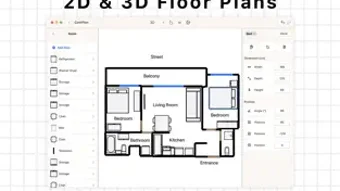
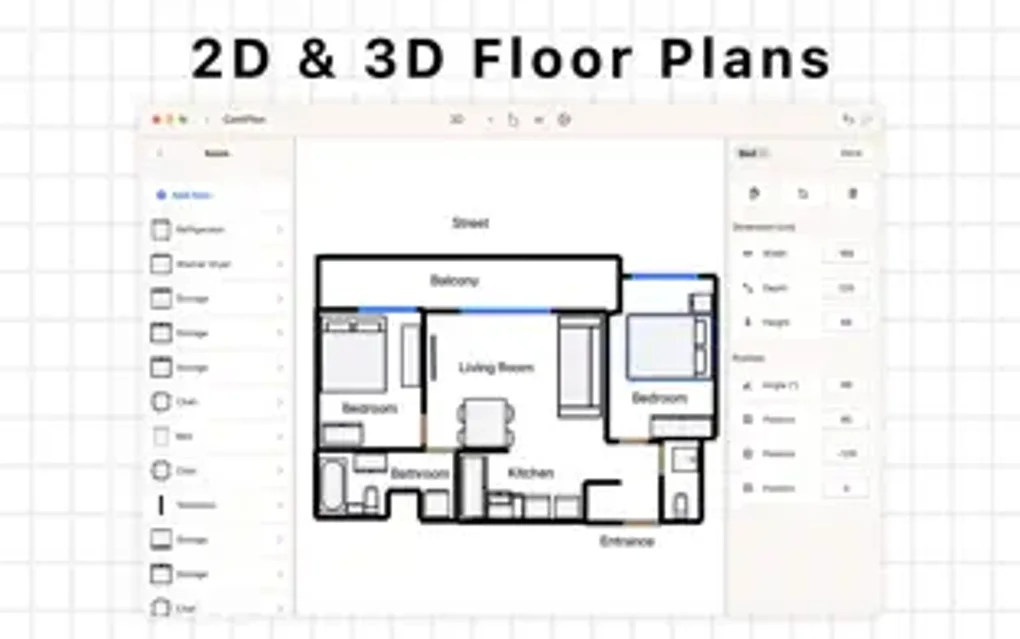
CamPlan AI is a cutting‑edge floor‑plan design application that harnesses artificial intelligence to turn a blank canvas into a polished residential, commercial, or real‑estate layout in minutes. Available on the Apple App Store, the app works seamlessly across iPhone, iPad, and Mac, offering a unified experience whether you’re sketching a cozy studio apartment or planning a multi‑room office suite. The core strength of CamPlan AI lies in its ability to automatically detect room dimensions from uploaded images, suggest optimal furniture arrangements, and generate realistic 3‑D visualizations that help you see the space from every angle. The interface is built around drag‑and‑drop simplicity, letting users add walls, doors, windows, and fixtures with a few taps. Once a design is complete, you can save it locally, export it as a PDF or PNG, or share it instantly via email or social media. Whether you’re a homeowner tackling a DIY remodel, a real‑estate professional preparing marketing material, or an interior designer looking for a rapid‑prototype tool, CamPlan AI provides a secure, fast, and intuitive way to create personalized floor plans without the steep learning curve of traditional CAD software.Key Features and Intelligent Design Benefits
- AI‑generated room measurements from uploaded floor‑plan images.
- Smart furniture placement suggestions based on user preferences.
- Real‑time 2‑D editing with instant 3‑D model rendering.
- Extensive library of draggable furniture, fixtures, and décor items.
- Import existing blueprints or start a plan from scratch.
- One‑click export to PDF, PNG, or share directly to social platforms.
- Customizable color palettes, wall textures, and floor finishes.
- Cloud‑based project backup for easy access across Apple devices.
Each feature is designed to reduce the time you spend on repetitive drafting tasks. The AI measurement engine analyses the lines and edges in a scanned blueprint, instantly calculating lengths and angles with an accuracy that rivals manual tools. Once dimensions are set, the app’s recommendation engine evaluates room function, natural light, and traffic flow to propose furniture layouts that balance aesthetics with practicality.
Users can accept, tweak, or reject suggestions, giving full creative control while benefiting from data‑driven insights. The 3‑D renderer uses Apple’s Metal framework to produce smooth, photorealistic visualizations that can be rotated, zoomed, and explored in real time. This helps clients and stakeholders visualize the final outcome before any physical work begins, cutting down on costly revisions.
Moreover, the drag‑and‑drop library is continuously updated with new items, ensuring you have the latest design trends at your fingertips. All of these capabilities are packaged in a lightweight, secure app that respects privacy—your floor plans never leave your device unless you choose to share them.
Installation, First‑Time Setup, and Device Compatibility
Getting started with CamPlan AI is straightforward. Open the App Store on your iPhone, iPad, or Mac, search for “CamPlan AI,” and tap the free “Get” button. The download size is under 150 MB, and the installation process typically completes within a minute on a standard broadband connection.
After launching the app, you’ll be greeted by a brief onboarding tour that walks you through creating your first project, importing a reference image, and selecting a design style. The app requests permission to access your Photos library—this is necessary for importing floor‑plan scans—and optionally to use iCloud for backup. All data is stored locally on your device and encrypted during any cloud sync, ensuring your plans remain private.
Supported Operating Systems
CamPlan AI runs on iOS 14 or later, iPadOS, and macOS 11 (Big Sur) or later. The app is optimized for both Apple Silicon and Intel‑based Macs, providing smooth performance whether you’re using a MacBook Air, iMac, or the latest M2 Pro machine. Because it leverages the native Metal graphics API, you’ll experience consistent frame rates and quick rendering on all supported hardware.
Pros and Cons
- Pros
- AI automatically calculates measurements, saving time.
- Intuitive drag‑and‑drop interface suitable for beginners.
- High‑quality 3‑D visualizations help with client presentations.
- Cross‑device sync via iCloud keeps projects up‑to‑date.
- Free to download with optional in‑app purchases for premium furniture packs.
- Cons
- Large image imports can be slow on older devices.
- Advanced CAD‑level features (e.g., structural analysis) are not included.
- Some users report occasional UI lag when handling very complex projects.
- Only available on Apple platforms; no Android or Windows version yet.
Frequently Asked Questions
How accurate are the AI‑generated measurements?
The AI engine uses edge detection and perspective correction to calculate dimensions with an average error margin of less than 2 cm, which is sufficient for most residential and commercial design tasks. For critical projects, you can manually fine‑tune the measurements before finalizing the plan.
Can I import a PDF or DWG file into CamPlan AI?
Direct import of PDF or DWG is not supported at this time. However, you can convert those files to high‑resolution PNG or JPEG images using a third‑party converter and then import the image into CamPlan AI for AI‑based measurement extraction.
Is there a limit to how many projects I can store?
No hard limit exists. Projects are saved locally and optionally synced to iCloud, which provides ample storage for most users. If you enable iCloud backup, the total space used will count against your iCloud storage plan.
Conclusion – Start Designing Smarter Today
CamPlan AI bridges the gap between professional floor‑plan software and everyday design needs, offering an AI‑driven workflow that is both fast and reliable. By automating measurements, suggesting layout ideas, and delivering high‑quality 3‑D renders, the app empowers homeowners, real‑estate agents, and interior designers to produce polished plans without a steep learning curve. Its seamless integration across iPhone, iPad, and Mac, combined with secure iCloud syncing, makes it a versatile tool for anyone looking to visualize spaces on the go. Download CamPlan AI for free today, create your first floor plan in minutes, and experience how intelligent design can transform the way you plan spaces.



.png)



